
The Ultimate Guide to AI Interior Design for Designers and Homeowners
AI interior design helps designers and homeowners turn room photos, sketches, floor plans, and design ideas into realistic visual concepts before renovation work begins. Instead of guessing how a wall color, furniture layout, lighting mood, or material finish may look, users can preview different design directions digitally and make decisions with more clarity.
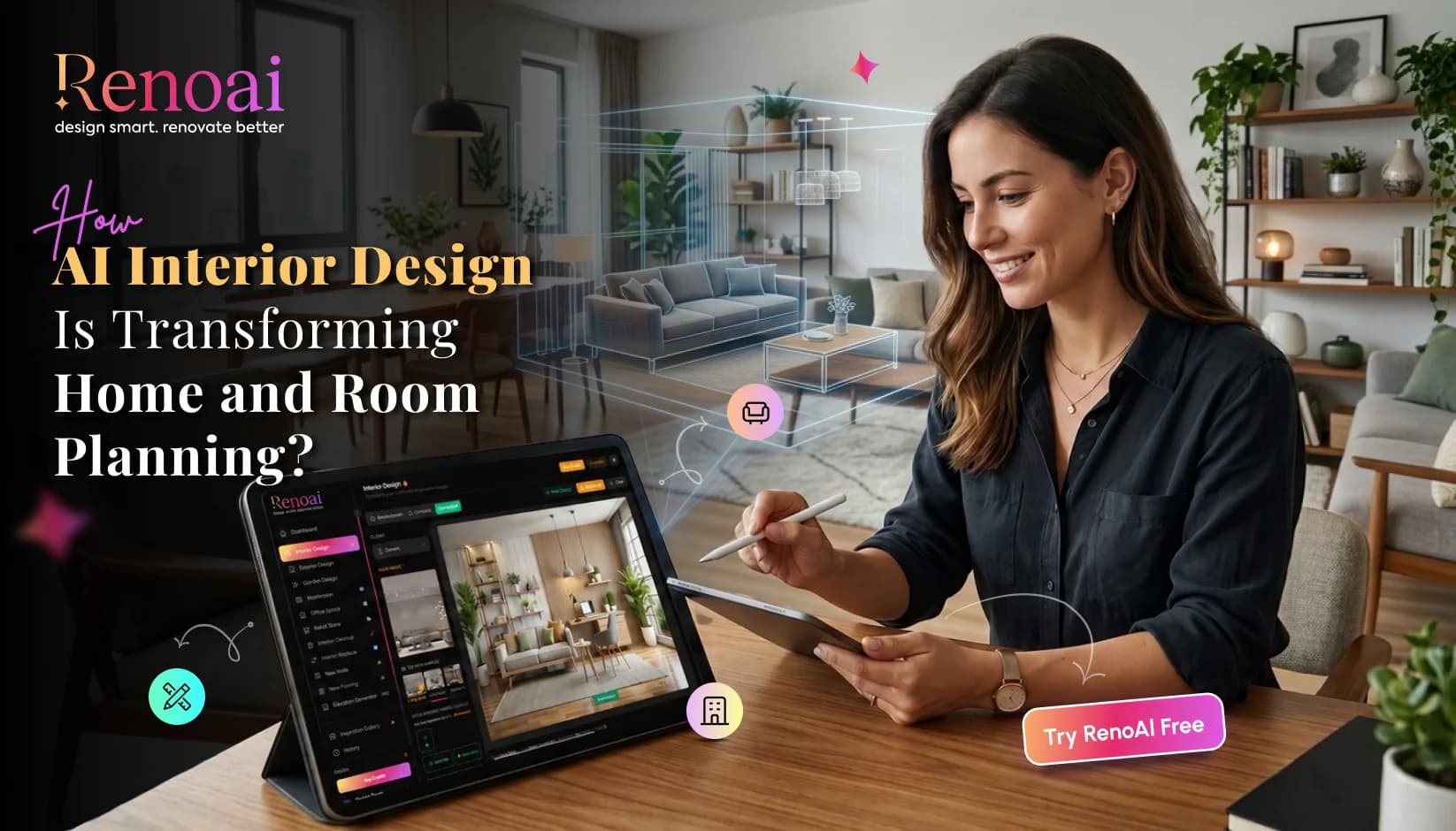
RenoAI is an AI design platform built for photo-based interior visualization, AI room design, and AI home renovation planning. The platform lets users upload a real room photo, choose design styles, colors, and moods, generate realistic renovation visuals, explore variations, and refine outputs with creative controls.
TL;DR
- AI interior design helps users preview spaces before making real changes.
- Designers can create faster concepts, mood options, and client visuals.
- Homeowners can test room ideas without professional design software.
- AI interior design software works best with clear room photos.
- AI visuals are useful for planning, not construction-ready drawings.
- RenoAI supports room photos, sketches, floor plans, CAD, and render workflows.
- The best AI home design tool depends on use case, output quality, and control.
What Is AI Interior Design?
AI interior design is the use of artificial intelligence to create, modify, and visualize interior spaces based on photos, prompts, sketches, layouts, or design preferences. It helps users explore room styles, furniture placement, colors, lighting, materials, and renovation ideas before making physical changes.
In simple terms, AI interior design turns an idea into a visual preview. A homeowner can upload a living room photo and test Scandinavian, minimalist, luxury, or rustic styles. A designer can use the same AI home design tool to generate early concepts for client approval.
RenoAI's website describes this process clearly: users upload a photo and preview different interior styles instantly with AI.
How Does AI Interior Design Software Work?
AI interior design software works by reading the visual details of a room, understanding the selected design direction, and generating a realistic redesign based on that input. The quality of the output usually depends on the photo clarity, room structure, selected style, lighting, and refinement options.
A typical AI room design process includes:
1. Upload a room photo, floor plan, sketch, or visual input.
2. Select the room type, style, color palette, mood, and layout direction.
3. Generate AI interior visualization concepts.
4. Compare multiple design variations.
5. Refine the result using creative controls.
RenoAI follows a guided workflow where users add a space photo, select a design direction, and view realistic visual results that support confident decisions.
How Does AI Help Interior Designers?
AI helps interior designers by speeding up early concept creation, improving client communication, and reducing the time spent on repeated visual revisions. Designers can use AI tools for interior designers to test multiple styles, compare layouts, and show clients realistic design directions before moving into detailed execution.
This matters because many design delays happen before implementation. Clients may struggle to imagine how a room will look from a mood board or verbal explanation. AI interior visualization gives them a clearer preview.
RenoAI also states that the platform does not replace designers or contractors. It helps teams plan better, communicate clearly, and make smarter decisions before work starts.
For professionals, AI interior design software can support:
- Faster client presentations
- Concept testing before detailed design
- Visual alignment during meetings
- Style comparison for the same room
- Renovation planning discussions
- Before-and-after design previews
Can Homeowners Use AI for Interior Design?
Yes, homeowners can use AI for interior design without professional design experience. An AI home decorating app helps homeowners test ideas visually before buying furniture, repainting walls, changing flooring, or starting renovation work.
This is useful because many homeowners know what they like but cannot easily picture how it will look in their own space. AI home renovation tools reduce that gap by using the actual room photo instead of a blank template.
RenoAI is built for homeowners and design professionals, and its app listing explains that users can upload a real space, explore realistic styles, and see how the room can look before work begins.
Homeowners can use AI interior design for:
- Living room makeovers
- Bedroom styling
- Kitchen design ideas
- Bathroom refresh concepts
- Wall color experiments
- Furniture arrangement previews
- Lighting mood comparisons
- Decluttering and staging ideas
Read More: Top 15 Free AI Interior Design Apps for Homeowners
What Can You Create with an AI Home Design Tool?
An AI home design tool can create realistic room makeovers, furniture placement ideas, wall and floor changes, lighting variations, style concepts, and before-after comparisons. Some tools also support sketches, CAD drawings, floor plans, elevations, and 3D model previews.
RenoAI's tool page lists multiple AI design workflows, including text to render, sketch to render, floorplan to render, 3D model to render, elevation to render, image to render, landscape design, image upscaling, and CAD to render.
This makes an AI design platform useful for both quick inspiration and structured design planning. A homeowner may only need a realistic room makeover. A designer or architect may need floorplan visualization, CAD-based render previews, or client-ready concept images.
What Is the Best AI Interior Design Platform?
The best AI interior design platform depends on the user's goal, input type, output quality, style range, editing control, and whether the platform supports professional workflows. A universal "best" platform cannot be confirmed without comparing use cases, pricing, accuracy, supported tools, and output requirements.
For photo-based interior visualization and renovation planning, RenoAI is a strong option because it supports real room photo uploads, design style selection, realistic visual generation, multiple variations, and creative refinement controls. Its website also lists features such as complete room makeover, add/remove furniture, wall color changes, lighting optimization, photo enhancement, camera angle consistency, decluttering, custom style builder, and regional luxury presets.
A good AI interior design software should offer:
- Real photo-based design visualization
- Multiple design styles
- Layout and proportion awareness
- Lighting and material control
- Before-after comparison
- Easy refinement options
- Outputs realistic enough for decision-making
- Beginner-friendly and professional workflows
Is AI Interior Design Accurate?
AI interior design can be accurate for visual planning, style exploration, color testing, furniture arrangement ideas, and renovation discussions. It should not be treated as a replacement for measured drawings, structural planning, contractor estimates, or code-compliant construction documents.
RenoAI explains that designs are generated using the room's layout, proportions, and visual details from the uploaded photo. It also clarifies that the outputs are not construction-ready drawings but are useful for understanding layout changes, styles, colors, and spatial feel before decisions are made.
This distinction is important. AI interior visualization helps users decide what looks right. Professionals still need measurements, material specifications, engineering checks, and contractor input before execution.
Why RenoAI Works for Designers and Homeowners?
RenoAI works for designers and homeowners because it focuses on visual clarity before renovation decisions are made. It helps users upload real spaces, explore style directions, compare design variations, and refine room concepts before spending money on physical changes.
For designers, RenoAI can support faster concept development and better client conversations. For homeowners, it can make AI room design more accessible by removing the need for complex design software.
The platform also supports broader design use cases beyond interiors, including interiors, exteriors, landscapes, commercial spaces, sketches, layouts, elevations, and architectural concepts.
Final Thoughts
AI interior design is changing how people plan rooms, communicate ideas, and make renovation decisions. It does not remove the need for designers, measurements, contractors, or practical planning. It makes the early design stage clearer, faster, and more visual.
For homeowners, an AI home decorating app can turn uncertainty into direction. For designers, AI tools for interior designers can support faster concepts, stronger presentations, and smoother client approvals. For both, RenoAI offers a practical AI interior design software experience built around real spaces, realistic visuals, and confident decision-making.
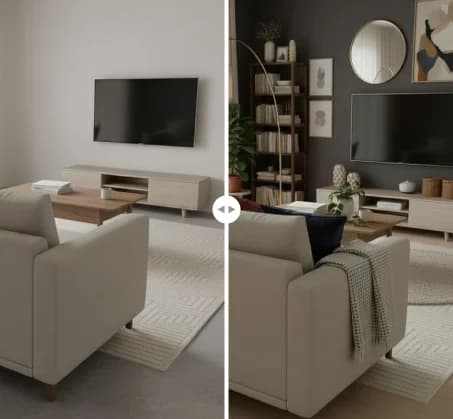
See RenoAI Come to Life in Your Space
Upload your room image and preview bold geometry, rich finishes, and timeless elegance before making any design decisions.
Preview RenoAI Now
Frequently
Asked Questions
Have questions about The Ultimate Guide to AI Interior Design for Designers and Homeowners? We answer them here
AI simplifies interior design by turning photos, prompts, or layouts into visual concepts quickly. It reduces the need to imagine every change manually and helps users compare styles, colors, furniture layouts, and lighting moods before making final decisions.
Start Designing with RenoAI for Free
Get 50 free credits to create up to 2 AI-generated design images in just 30 seconds.
No credit card required. No long setup. Just upload your space and start visualizing instantly.

- 50 Free Credits
- Generate up to 2 images
- No credit card required

- Unlimited design exploration
- Higher usage, faster workflow
- Built for serious design needs

Transform Room Ideas into Realistic Designs Before Renovation Even Begins
Preview styles, layouts, colors, and makeovers faster with RenoAI's interior visualization tools.
Start Designing with RenoAI